Works really well on the desktop version, loving it!
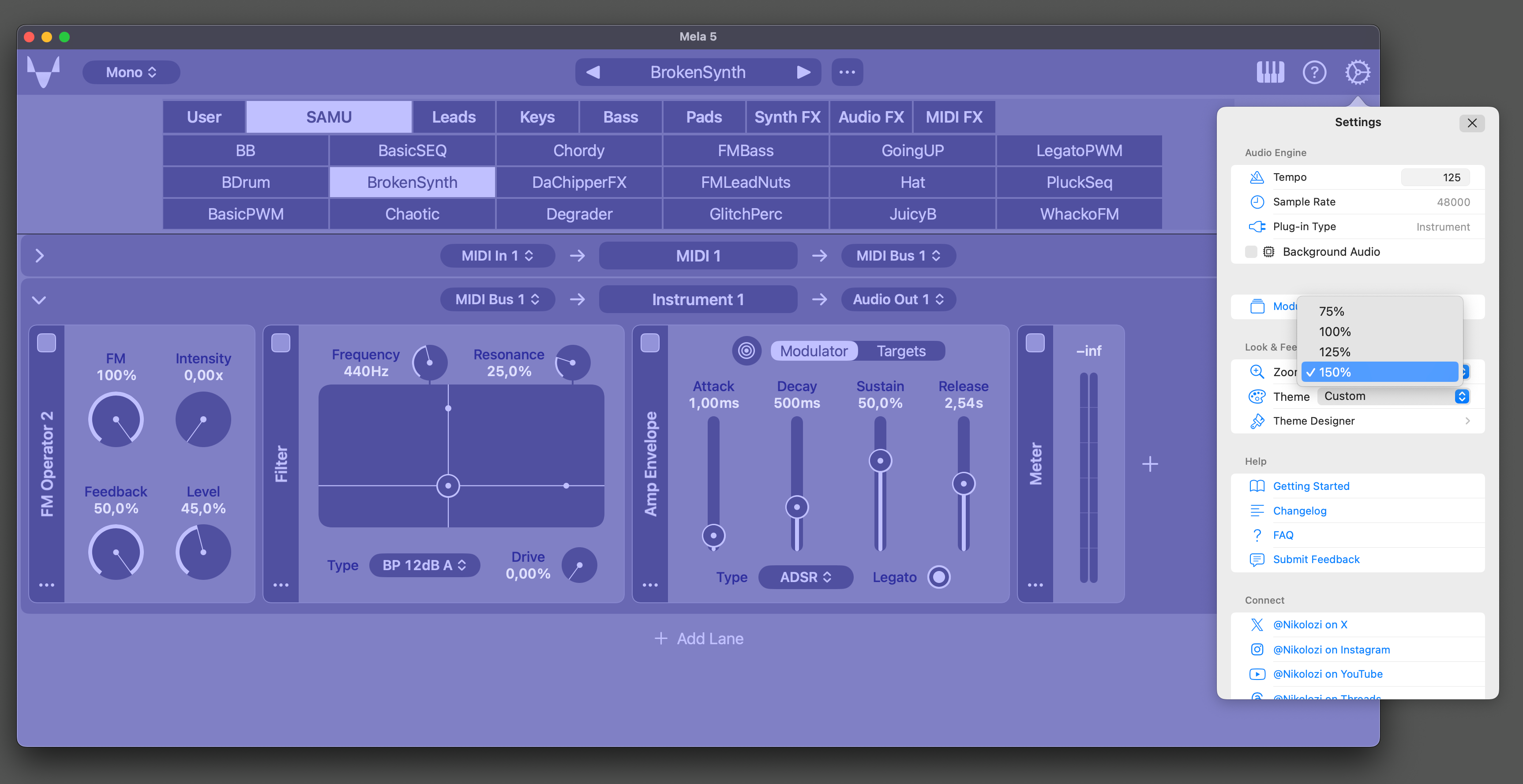
Build 223 adds UI Zoom. Let me know what you think and if there are any issues. UI Zoom - Mela UI can now be scaled. - Supported zoom levels: 75%, 100%, 125% and 150%. - The zoom setting can be found in Settings under the Look & Feel section. Demo: https://twitter.com/Nikolozi/status/1767133468188651734
Nikolozi - I like it! This is really helpful, and the range is good for my purposes. On my iPad, 150% allows one module to mostly fill the screen, and 75% is a useful zoom-out level to get more of a big-picture view of the patch. One request: I would like the zoom level to be saved with AUv3 state, on a per-instance basis. I can imagine wanting to have a saved AUM session with multiple Mela instances, some zoomed out for overview, and some zoomed in for detail or control.
Jon Diercks I'll look into this. Not sure how easy it will be to support that. But if not in 5.1, I could make it a future feature. Good to hear the zoom range is pretty good. I thought anything smaller than 75% was becoming too small and above 150% a bit too big.
+1 for scalable UI I'd like to be able to make things a bit smaller, and have more modules fit on my screen. Also, while pinch zoom sounds good, i wouldn't want to risk accidentally ruining my patch - if one of my fingers accidentally drags a slider, or a sensitive area like the VPS Oscillator XY pad. I would personally prefer changing the GUI scaling with a dedicated menu or slider just to be safe, but that might just be me :-)
I have a severe visual impairment, so this is of great interest to me. Generally I'd prefer that the entire UI be scalable. I use the iOS global zoom features extensively, but a simple pinch-zoom inside Mela would probably be better.
Now available in Mela 5.1