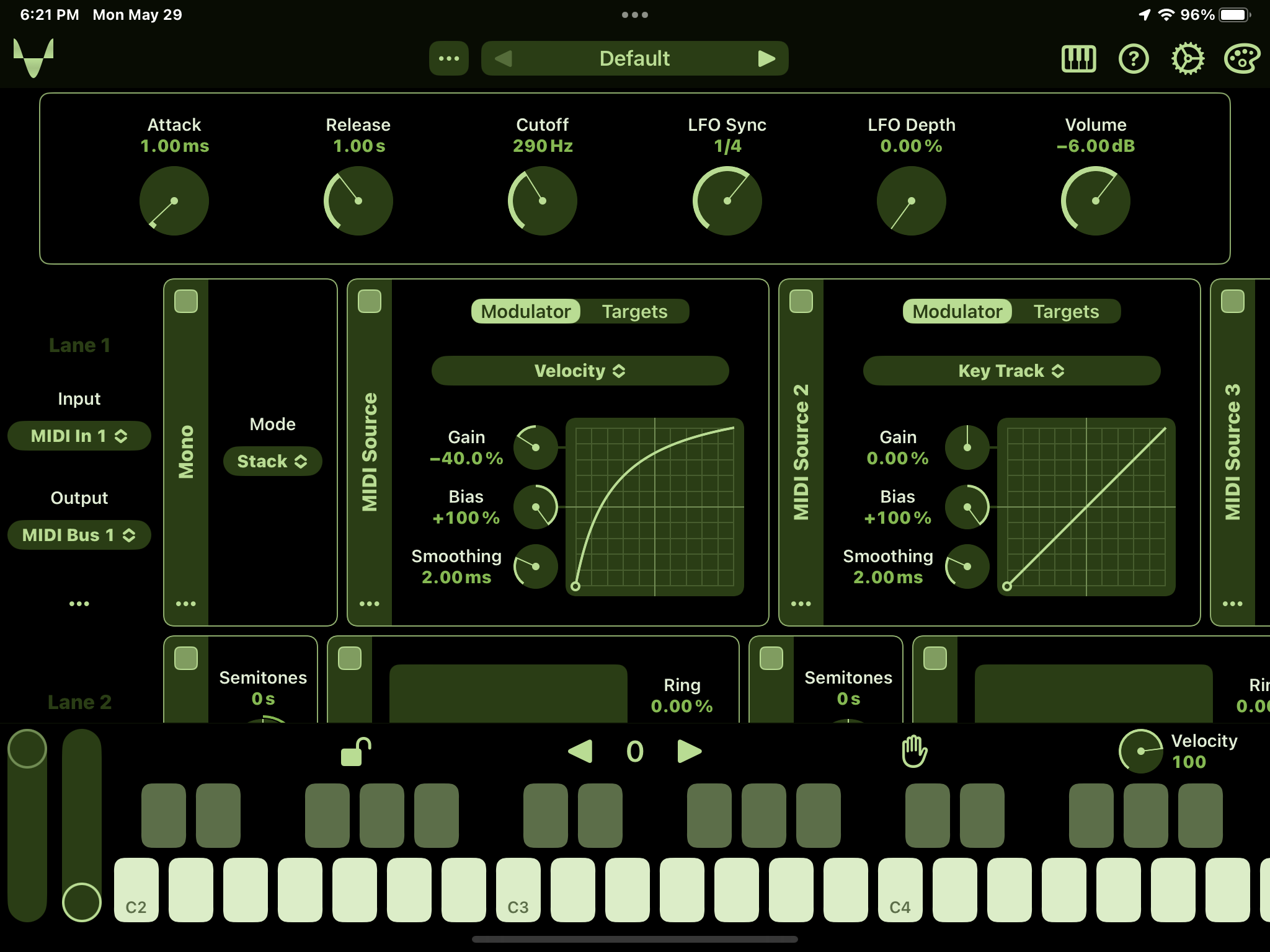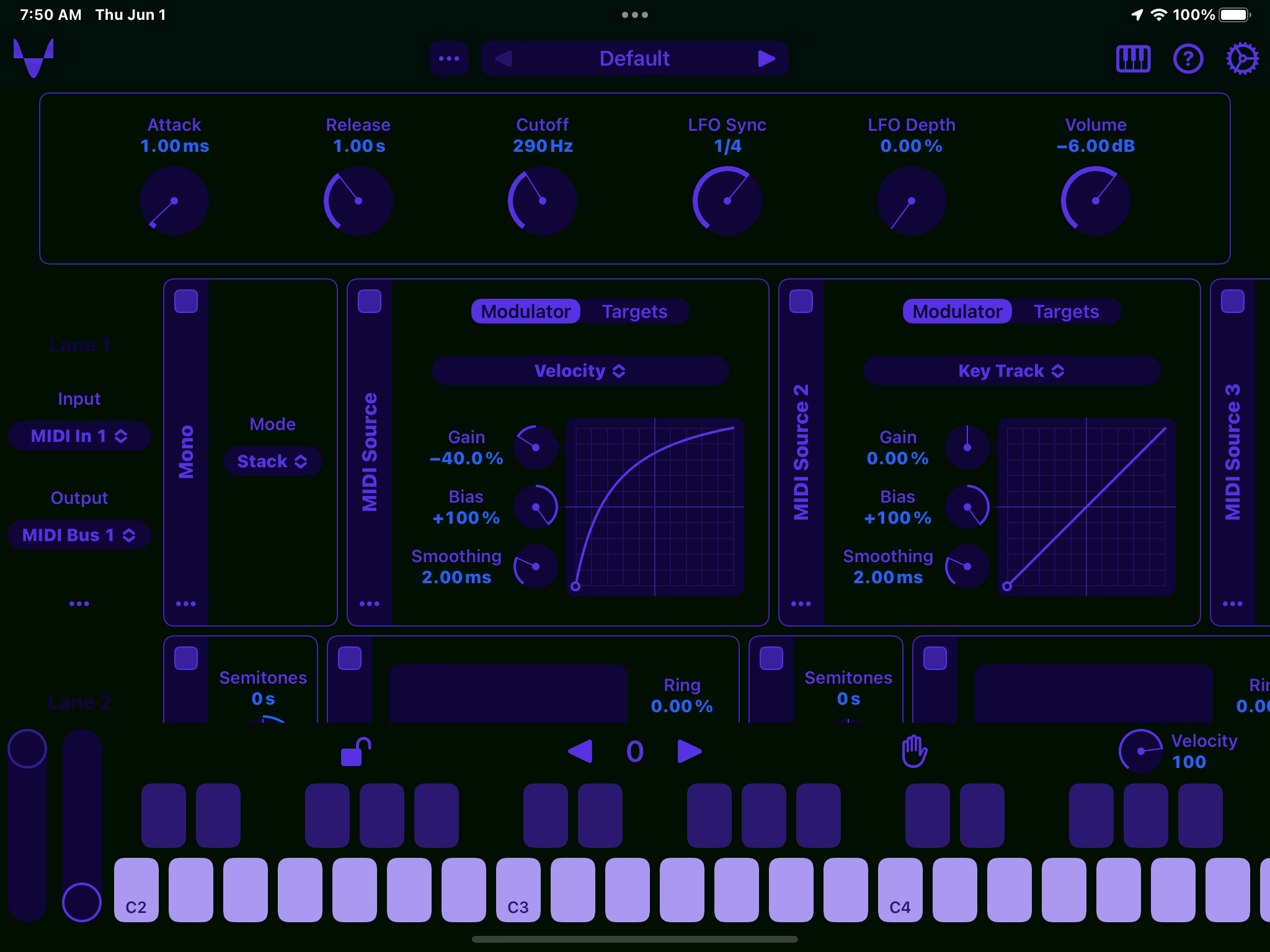
**Update:** I'm reposting here what I wrote on the [Audiobus Forum](https://forum.audiob.us/discussion/comment/1212063#Comment_1…): > Here's what I'm thinking. I'll add the "White" theme as one of the presets. And the "Custom" one, and when selected the theme designer will appear, probably just inside the settings (rather than in the toolbar). And the user who wants to create their themes will be able to. And they can back up their themes (if they have multiple) by copying the colours into a text file or notes or whatever. And pasting them if they want to switch to another. > I have a feeling people will start asking for the ability to save and load colour themes, iCloud etc. which are big tasks. But I think the above should suffice.
Ready for testing in **build 92**.
I always enjoy a good "matrix" theme... DFEED4 75BA40 B0DD8B 253E0E 000000
Jon Diercks: haha, you and @Samuel Lindeman both, it seems. https://forum.audiob.us/discussion/comment/1211999#Comment_1…
Jon Diercks did you want me to post your version on the theme site: https://nikolozi.com/mela/artist-themes/ Here's a demo of how this works: https://twitter.com/Nikolozi/status/1663840655204917248
Nikolozi: I tweaked a little more, this is the version I like best. Sure, you can post if you want. 96D25F B0DD8B B0DD8B 102000 000000
Jon Diercks: I was fixing the Color Picker crash another user experienced and it turned into a massive change in code, not complaining though. Mela 4 now properly supports P3 wide colour gamut, previously it was sRGB. There was an issue with the conversion between the colour spaces. What this means is that existing RGB colour sets are interpreted as P3 instead of sRGB. And now if you check out the built-in themes in build 96 the colours are a bit too vibrant and over-saturated. I'm planning to convert those values to P3 but thought I'd release it in the beta build in case anyone has some opinions on them. So, see if you want to tweak your colours as they will now be interpreted as P3 hex values.
Nikolozi: my impaired eyes aren’t seeing much difference, but actually I tried Samu’s version and I like it at least as well, except I’m with you I want a little hint of green in the values, so… 78C878 D2E7BA 78C878 0E180E 001000 But probably not worth a whole separate entry for it, since it’s so close.
Jon Diercks: I can add your version too, it's not like there are too many so far :) Is there a social media or website you want me to link to your name?
Nikolozi: tell you what, use this one instead: 5832E2 285FF5 5832E2 0F0538 001000 Call it “RoundMidnight” and link to my website DistinctNotes.com. Thanks!
Jon Diercks: ok should be live on the site in a few mins
Nikolozi: the link from my name is pointing at https://nikolozi.com/mela/artist-themes/DistinctNotes.com which does not exist.
Jon Diercks: ah, thanks for checking. It's fixed now.
The **build 88** includes a Theme Designer: - When the Theme field is set to "Custom" in settings a colour palette icon appears in the toolbar next to the settings icon. - Tap on the icon to open the Theme Designer view. - Use the Copy and Paste buttons to save and load custom themes. - Copy/Paste is just 5 rows of colours. So you could even manually type them up. - Save the ones you like and post the ones you think are great and deserve to be included in Mela.
Released as part of the Mela 4.1 update.